
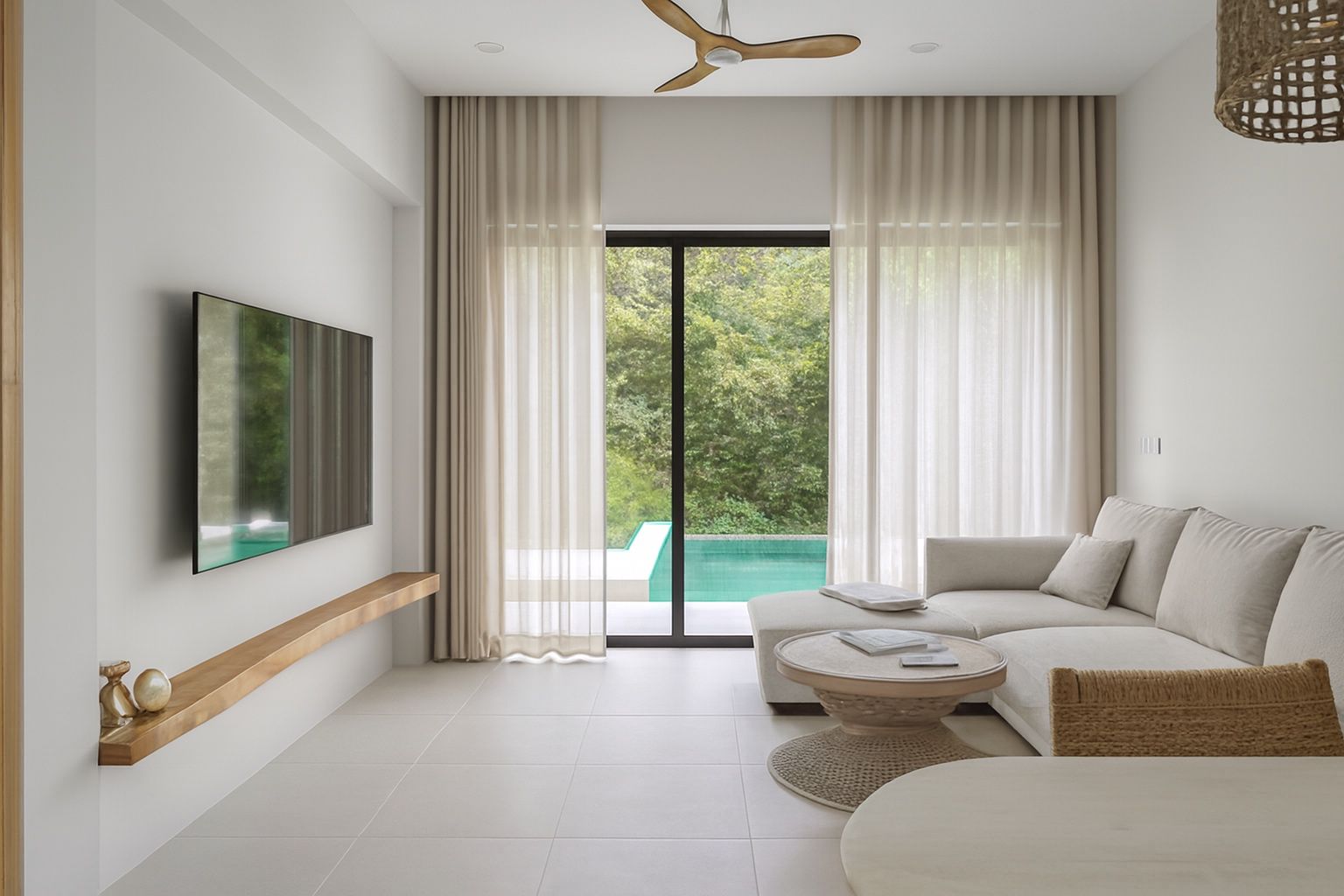
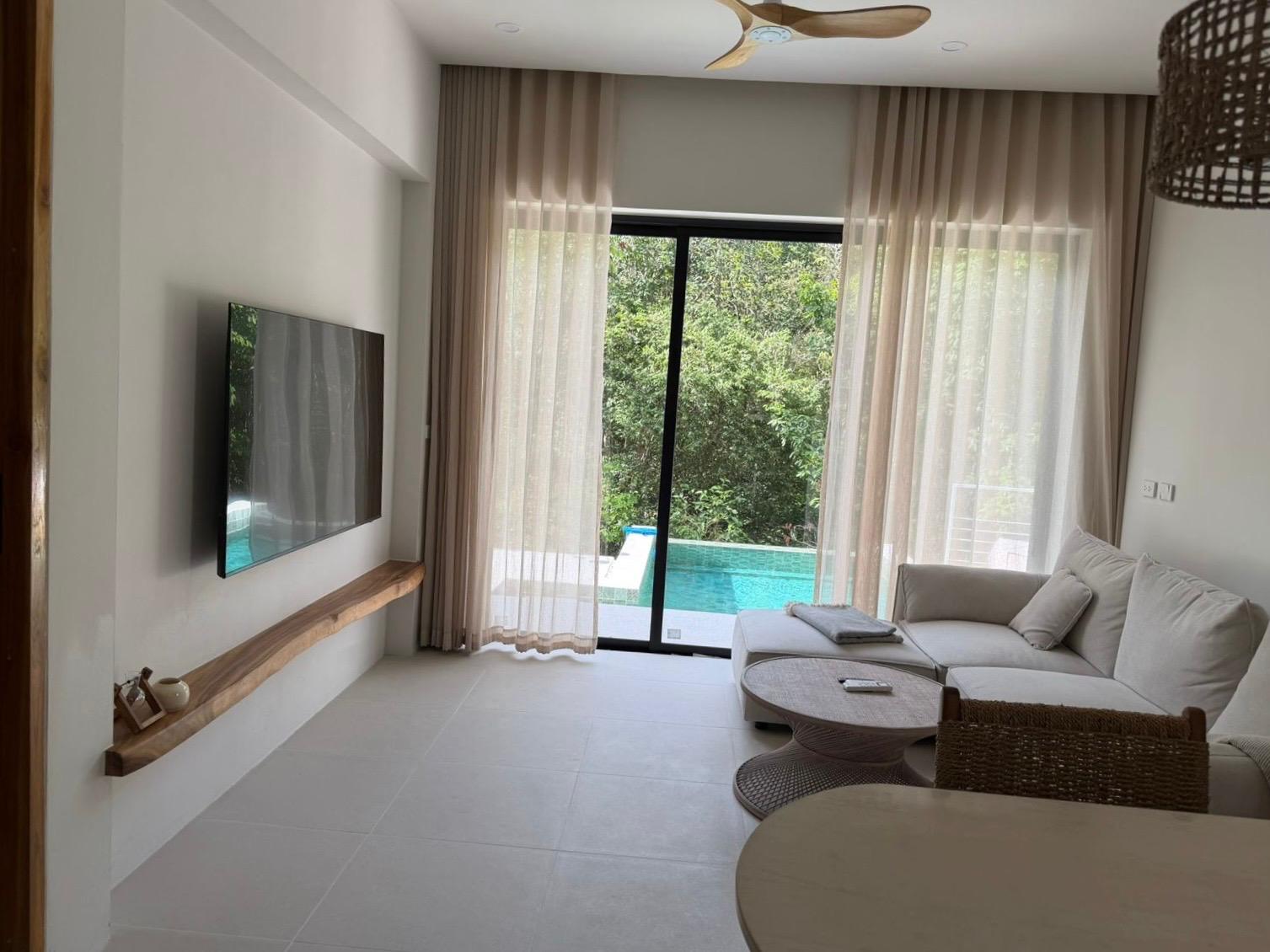
Whole-home guests check every room
A group choosing a vacation home wants to see where everyone sleeps, how the kitchen works and what the deck, pool or yard really looks like. Dark bedrooms and tilted exteriors leave them unsure, and unsure guests keep scrolling.
You know the home best and you are often there between stays. Your own photos can do the job if they are clean, bright and straight.
What ProLister fixes
- Dim bedrooms and living areas brightened and evened out
- Colour casts from mixed bulbs and daylight removed
- Leaning walls and tilted horizons straightened
- Outdoor shots balanced so the sky and the yard both show detail, with the real sky kept
- High-resolution files ready for Vrbo, Airbnb, Booking.com and your own booking site
The home guests see is the home they get
ProLister never adds furniture, swaps the sky, changes the view or hides wear. It only corrects how the photo was captured.
Accurate photos set the right expectations, and guests who find what they booked are the ones who leave good reviews.
How it works
- Open the blinds, switch on the lights and photograph each room from a corner at chest height, with the phone held sideways.
- Upload the JPG or PNG files from your phone or computer.
- Download the listing-ready versions a few seconds later.
- Need a tweak? Refine any image for half a credit.
What it costs
Your first 2 photos are free. Credit packs are one-time purchases with no subscription: 10 photos for $9.99, 25 for $19.99 and 50 for $34.99. Credits never expire, so you can refresh photos whenever you update the home.
Helpful guides
Free listing photo checker
Before you upload, run your photos through our free 12-point checklist for light, composition, prep and coverage. It runs in your browser and nothing is uploaded.
Open the Listing Photo Checker →ProLister for other listings
- Airbnb & Vrbo hosts
- Property managers
- UK letting agents
- Rental listings
- UK landlords
- HMO landlords
- UK holiday lets
- Serviced accommodation
- For sale by owner
- Student housing
- Booking.com hosts
- Mid-term rentals
- Real estate agents
- UK estate agents
- Airbnb co-hosts
- Australian rentals
- UAE rentals
- Canadian rentals
- Vacation rental managers
- Cabins and glamping
- Irish rentals
- New Zealand rentals
Frequently asked questions
Can I use enhanced photos on Vrbo?
ProLister only corrects light, colour, perspective and clarity, so the photo still shows the home as it is. You download standard high-resolution JPG files to upload to your listing.
Will it replace the sky or add a pool view?
No. The real sky, view and outdoor space are kept exactly as they are.
Can I use the same photos on Airbnb and Booking.com?
Yes. The enhanced files are ordinary JPGs that you can upload to any platform or your own website.
Do credits expire?
Credits from one-time packs never expire.