
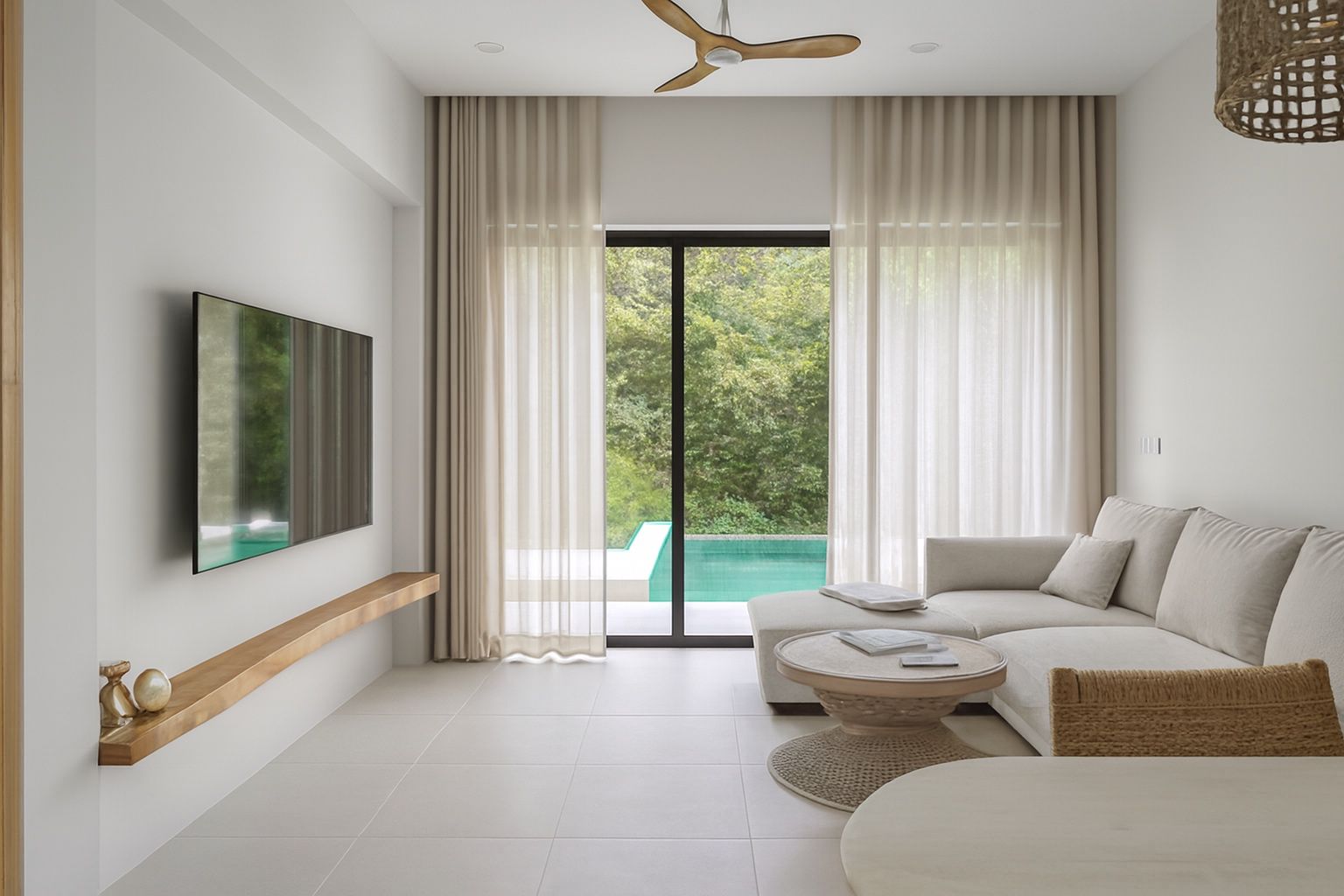
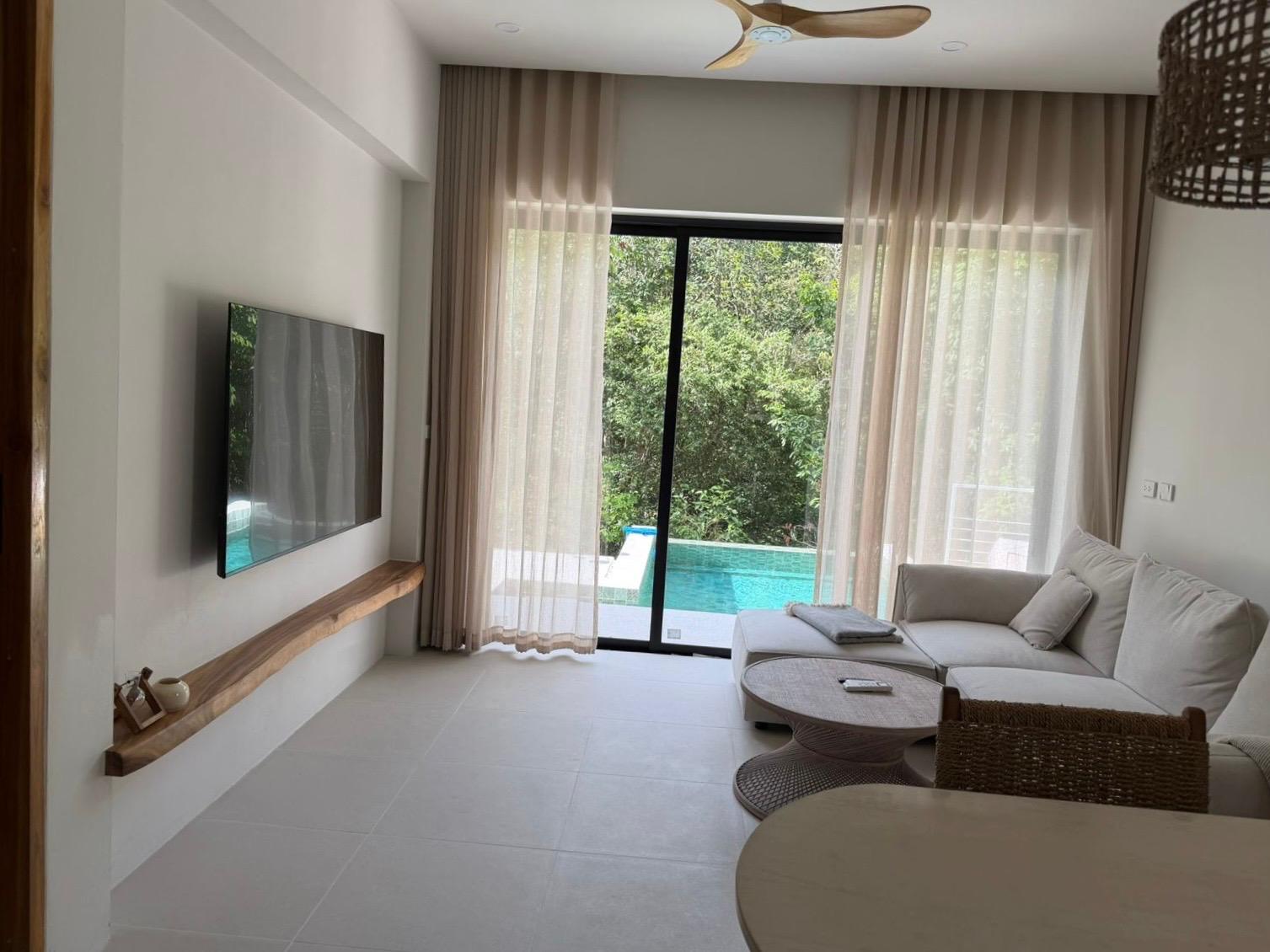
Renters and guests pick from the thumbnail
On realestate.com.au, Domain, Airbnb and Stayz, people scroll a grid of photos and open the few that look bright, clean and well kept. A dark, tilted or yellow-tinted phone shot makes a good place look tired.
Harsh Australian sun makes this harder: blown-out windows, deep shadows indoors and washed-out outdoor areas. Getting the main photo right is the cheapest improvement you can make to a listing.
What ProLister fixes
- Bright windows and dark corners evened out in the same shot
- Colour casts from mixed lighting removed
- Leaning walls and tilted horizons straightened
- Sharper detail that still reads at thumbnail size
- HD files ready for realestate.com.au, Domain, Airbnb, Stayz, Booking.com, Flatmates and your own website
Accurate, so nobody feels misled
ProLister never adds furniture, hides wear, changes the view or virtually stages a room. It only corrects how the photo was captured.
Australian Consumer Law prohibits misleading or deceptive conduct, and the platforms expect listings to show the property as it is. Keeping the room exactly as it is protects you, your landlords and your reviews.
How it works
- Shoot each room with the blinds open and every light on, from a corner at chest height, in landscape. Avoid the harsh midday sun for outdoor shots if you can.
- Upload a JPG or PNG.
- Download the listing-ready version a few seconds later.
- Not quite right? Refine it for half a credit.
What it costs
Your first 2 photos are free. Credit packs are one-time purchases with no subscription, priced in US dollars: 10 photos for $9.99, 25 for $19.99 and 50 for $34.99. Credits do not expire.
Managing a larger rental roll? Pro monthly plans for teams: 100 credits for $65/month up to 1,000 credits for $500/month. Cancel anytime. All prices are in US dollars.
Helpful guides
Free listing photo checker
Before you upload, run your photos through our free 12-point checklist for light, composition, prep and coverage. It runs in your browser and nothing is uploaded.
Open the Listing Photo Checker →ProLister for other listings
- Airbnb & Vrbo hosts
- Property managers
- UK letting agents
- Rental listings
- UK landlords
- HMO landlords
- UK holiday lets
- Serviced accommodation
- For sale by owner
- Student housing
- Vrbo hosts
- Booking.com hosts
- Mid-term rentals
- Real estate agents
- UK estate agents
- Airbnb co-hosts
- UAE rentals
- Canadian rentals
- Vacation rental managers
- Cabins and glamping
- Irish rentals
- New Zealand rentals
Frequently asked questions
Can I use enhanced photos on realestate.com.au and Domain?
Yes. ProLister only corrects light, colour, perspective and clarity, so the photo still shows the property as it is. You download standard high-resolution JPG files that upload to any portal or booking site.
Is this virtual staging?
No. Nothing is added to or removed from the room. An unfurnished rental stays unfurnished in the photos.
Are prices in Australian dollars?
No. Prices are in US dollars, and your card provider converts the amount at checkout. Packs are one-time purchases and credits do not expire.
Can everyone in my agency share one account?
Pro plans can be shared by your team under one login. Free and one-time accounts are for one person.